2026-06-24
The Silent Server Killer: How Invisible Lag Destroys Player Retention (And How to Fix It)
Is your server lagging even though your TPS looks perfect? Discover the hidden bottlenecks driving your players away, and how to fix them.
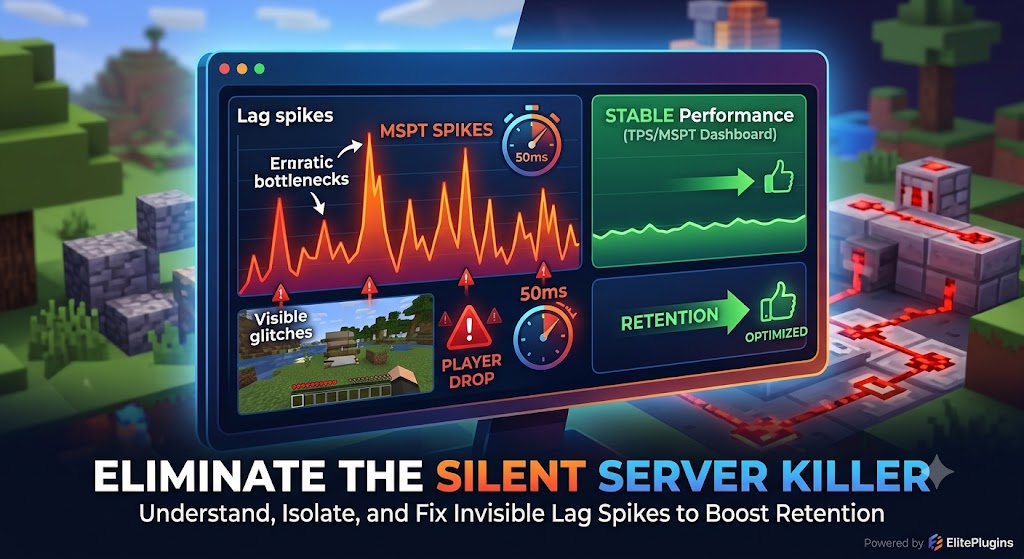
The Silent Server Killer: How Invisible Lag Destroys Player Retention (And How to Fix It)
You’ve built an amazing spawn, spent weeks balancing your server economy, and launched a marketing campaign that brought in a wave of new players. Everything looks perfect on paper.
But within forty-eight hours, your player count plummets.
When you ask players why they left, you get the same feedback over and over: "The server is laggy."
For Minecraft server administrators, lag isn’t just a technical nuisance; it is a direct drain on your community's growth. In sandbox games, even minor lag breaks immersion. If a player breaks a block and it snaps back, or if their combat inputs register late, they won't stick around.
The hardest part? The most dangerous types of lag don't trigger obvious console errors.
Let's look at why invisible lag happens, how it tricks standard monitoring tools, and how you can track it down to save your player retention.
1. Tick Loop Degradation vs. Network Latency
Before you can fix lag, you have to understand exactly what your players are experiencing. Admins often confuse two completely distinct issues:
- Network Latency (Ping): The time it takes for data to travel from the player’s computer to your server host. High ping is usually caused by physical distance or a poor route taken by an ISP (Internet Service Provider).
- Tick Loop Degradation (TPS Drops): Minecraft operates on a loop aiming for 20 Ticks Per Second (TPS). Every tick (50 milliseconds), the server calculates entity AI, physics, redstone, and world data. If those calculations take longer than 50ms, your TPS drops, causing the game world itself to slow down or stutter.
If your server sits at a perfect 20.0 TPS, but players complain about blocks reappearing, you are likely dealing with high MSPT (Milliseconds Per Tick) spikes that standard TPS trackers hide.
2. The Hidden Culprits Behind "Invisible" Lag
When a server begins to slow down, most admins instinctively check entity counts. While 5,000 chickens in a single chunk will absolutely hurt performance, the most devastating lag sources are often completely hidden from sight.
Heavy Database Queries on the Main Thread
Many plugins require access to a database (MySQL, SQLite, or MongoDB) to store player data, tracking statistics, or economy balances. If a plugin is poorly written, it might make database requests on the main server thread.
* The Result: The entire server freeze-frames for a fraction of a second while waiting for the database to respond. To a standard /tps command, your server looks healthy, but your players experience a jarring micro-stutter.
Pathfinding Overload
Entity AI is incredibly expensive. When a player builds a massive mob farm or a complex village trading hall, dozens of mobs are constantly trying to calculate paths through tight, confined spaces. When they fail to find a valid path, their AI loops continuously, driving up CPU usage exponentially.
Chunks Generating Too Fast
If you run a Survival or Factions server without a pre-rendered world border, a single player flying with an Elytra into uncharted territory will force the server to generate brand-new terrain on the fly. Terrain generation requires immense CPU calculation and disk write speeds, lagging everyone else on the network.
3. Why Traditional /tps and Timings Reports Fail You
For years, server owners relied entirely on the built-in /tps command or Paper/Purpur Timings reports. While Timings reports are helpful for broad overviews, they have a massive flaw: they present data as averages.
If a plugin runs flawlessly for 19 seconds but causes a massive, 800ms lag spike on the 20th second, your average TPS over that minute might still show up as a reassuring 19.95.
Averages hide the jagged spikes that actually make players log off. To truly optimize a modern server under heavy player loads, you need historical, visual telemetry.
How to Gain Total Visibility Over Your Server Health
Fixing lag requires accurate data, not guesswork. You shouldn't have to wait for players to complain in Discord to realize your server performance is tanking.
To solve this exact issue, we developed EliteInsights.
Unlike standard text commands that only give you a snapshot of right now, EliteInsights provides a live, visual Lag Analytics Dashboard directly for your network. It tracks performance trends, highlights hidden MSPT spikes, and isolates exactly which chunks are blocking the main thread.
By identifying and correcting micro-stutters before your players feel them, you can maintain a flawless gameplay experience that keeps your community coming back day after day.
Want to see what's actually happening under the hood of your server? Explore how production-ready analytics can optimize your environment over on our Store Page.
More from the blog
2026-04-22
Plugin support explained: boost server performance & control
Learn what plugin support really means for your server, how it impacts performance and security, and how to choose the right plugins for reliable management.
2026-04-22
Plugin stability guide for reliable MC & HytaleServers
Learn what plugin stability really means for your MC and HytaleServers. This guide covers core mechanics, common causes of instability, and how to evaluate and maintain reliable plugins.
2026-04-21
Top features of reliable plugins for smooth Minecraft servers
Discover the top features of reliable Minecraft and Hytale plugins. Learn what criteria matter most for performance, permissions, and long-term server stability.