2026-04-22
Plugin support explained: boost server performance & control
Learn what plugin support really means for your server, how it impacts performance and security, and how to choose the right plugins for reliable management.

Plugin support explained: boost server performance & control
Plugin support gets misunderstood more than almost any other topic in server administration. Many admins assume it means wrestling with client installs, chasing version conflicts, or watching performance tank after every update. That’s the old story. Modern platforms like server-side mod control have rewritten the rules, and understanding how plugin support actually works is the difference between a server that runs smoothly and one that constantly fights itself. This guide cuts through the confusion, explains the real mechanics, and gives you a clear framework for leveraging plugin support to make your server faster, safer, and easier to manage.
Table of Contents
- Understanding plugin support: Core concepts
- Plugin mechanics: How plugins operate and deliver value
- Performance, security, and ecosystem advantages
- Getting reliable plugin support: What admins should prioritize
- What most admins miss about plugin support
- Advanced plugin solutions from ElitePlugins
- FAQ
Key Takeaways
| Point | Details |
|---|---|
| Server-side plugin advantage | Plugins managed entirely on the server reduce compatibility issues and streamline user experience. |
| Admin workflow efficiency | Reliable plugin support automates routine tasks and lowers technical hurdles for server administrators. |
| Performance and security boost | Modern plugin architectures optimize server performance and tighten security by centralizing control. |
| Ecosystem matters | Choosing plugins from active, well-supported ecosystems ensures long-term stability and access to updates. |
Understanding plugin support: Core concepts
From clearing up the basics and misconceptions, let’s dig deeper into what plugin support really entails for modern server platforms.
Plugin support is the backbone of server customization. It means your server can load, unload, manage, and automate plugins to add features, fix bottlenecks, and keep the player experience tight. For admins, this isn’t a luxury. It’s the infrastructure that determines how much control you actually have over your environment.
For ECS plugin architecture, plugins interact with server APIs to extend functionality without touching the game’s core code. In server-side mod control environments, the server handles all the heavy lifting so players don’t need to install anything on their end.
Here’s what plugin support covers in practice:
- Loading and unloading plugins without restarting the entire server
- Managing dependencies so plugins don’t conflict with each other
- Version tracking to ensure compatibility with the server runtime
- Permission and configuration management built around admin workflows
- Event hooks that let plugins respond to in-game actions in real time
For server-side plugins auto-deliver to clients in server-side JARs, meaning players get the full experience without any manual setup. That alone eliminates a huge category of support tickets admins typically deal with.
In server-side mod control environments, client installs are a relic. When the server controls delivery, compatibility issues shrink dramatically. You update the plugin on the server, and it propagates instantly. No more “did you install the latest version?” conversations with frustrated players.
For server-side JARs that auto-deliver to clients, this is the exact model in the current guide. In short, modern plugin support eliminates player-side friction and centralizes control where it belongs: with you.
Pro tip: Always check plugin compatibility with your server version before adding new mods. A single version mismatch can cascade into performance problems that take hours to trace.
Plugin mechanics: How plugins operate and deliver value
With the basics covered, let’s see how plugin mechanics work in practice and what this means for your server.
Plugins are structured code packages that hook into your server’s API layer. They listen for events, intercept commands, and execute logic. The structure varies significantly between platforms.
| Feature | efficient plugin loading | scalable plugin support for newer platforms like the plugin API |
|---|---|---|
| Client install required | Often yes | Never |
| Plugin delivery | Manual per client | Auto server-side |
| Event system | Standard API hooks | async events with per-world threading |
| Config file | Various formats | manifest.json standard |
| Command registration | Manual setup | Auto command registration |
For modern servers using plugin development standards, the manifest.json file defines plugin metadata, dependencies, and entry points. The JavaPlugin extension class handles initialization. Commands and events register automatically on load. Per-world threading means different server regions can run plugin logic concurrently without blocking each other.
Here’s a clean process for managing plugins on any serious server:
- Install the plugin into the correct directory with verified checksums
- Configure via the provided config file before first activation
- efficient plugin loading verification to confirm no conflicts
- Monitor resource usage for the first 48 hours after deployment
- Update on a scheduled cycle, never mid-peak-hours
“server-side-only plugins streamline admin tasks and enhance performance via built-ins like dynamic limits.”
Async operations are the key difference between plugins that feel invisible and plugins that cause perceptible lag. When a plugin processes events asynchronously, it doesn’t block the main server thread. That means gameplay stays smooth even when the plugin is doing heavy work in the background.
Pro tip: Look for plugins that support async operations for smoother performance. If a plugin runs everything on the main thread, it becomes a potential bottleneck under player load.
Performance, security, and ecosystem advantages
Now, let’s look at the bigger picture: how well-implemented plugin support impacts everyday performance, server safety, and admin workflow.
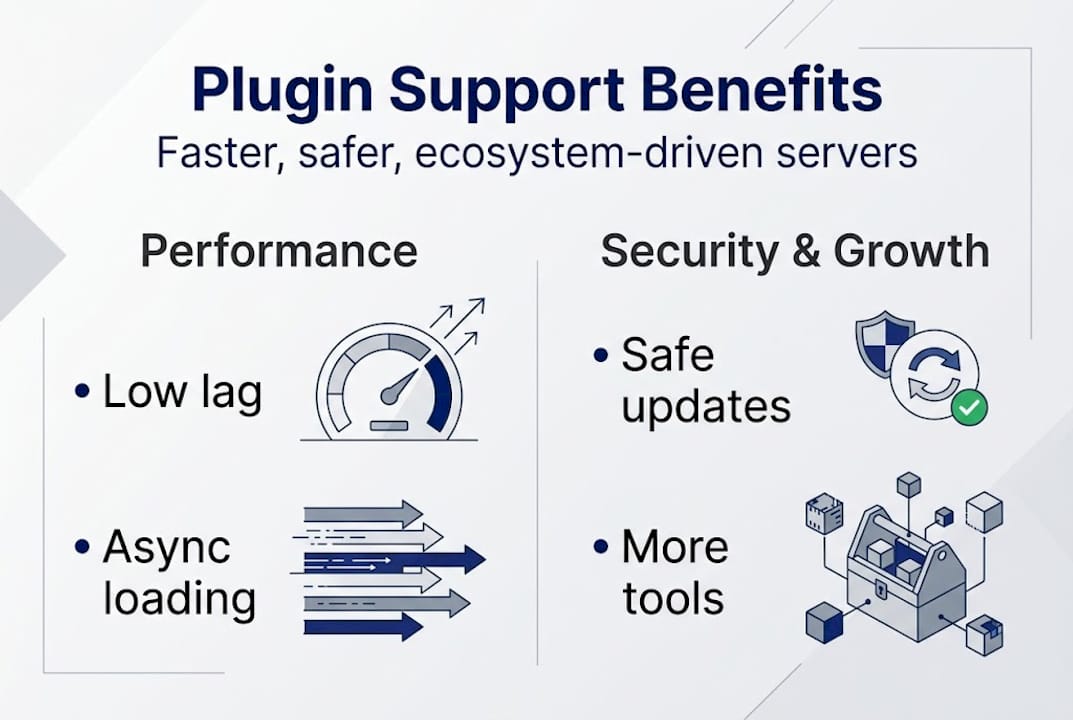
Performance is where plugin support either earns its place or becomes a liability. Server-side plugins reduce memory overhead because you’re not synchronizing state across dozens of client installs. Plugin scalability comes from architecture choices like async processing and per-world threading, which keep the main thread free for what matters most: player experience.

The security picture is equally compelling. When plugins live entirely on the server, clients can’t tamper with them. Server-authoritative execution means the server’s version of reality always wins, which closes a wide range of exploit vectors that client-side plugins leave open. improved plugin security is a direct result of this model.
Here’s a comparison of performance and security attributes:
| Factor | Client-side hybrid | Server-side only |
|---|---|---|
| Memory overhead | Higher (client + server) | Lower (server only) |
| Security exposure | Higher (client exploits possible) | Lower (server-authoritative) |
| Update deployment | Complex (multi-client sync) | Simple (server push) |
| Performance consistency | Variable per client | Server-controlled |
Key advantages of modern plugin scalability include:
- Dynamic limits adjust resource caps in real time based on player load
- async event processing keeps the main thread clear during heavy operations
- Per-world threading isolates plugin execution to prevent cross-world interference
- Built-in performance hooks let plugins self-report their resource consumption
The ecosystem angle matters too. While the plugin ecosystem trends for newer platforms show a smaller library than established platforms, that’s actually an advantage in disguise. A younger ecosystem means less legacy baggage. You’re not inheriting five years of abandoned plugins with broken compatibility chains. Every plugin available is built with current standards in mind.
server performance via built-ins like dynamic limits are documented features, not workarounds.
Pro tip: Monitor plugin ecosystem growth for emerging tools and avoid locking your infrastructure to plugins that haven’t received updates in over six months. Legacy plugins are the most common source of hard-to-diagnose performance regressions.
Getting reliable plugin support: What admins should prioritize
Having explored technical and ecosystem benefits, it’s crucial to understand how to secure reliable plugin support and avoid costly mistakes.
Not all plugin support is equal. The difference between a server that runs clean for years and one that requires constant firefighting often comes down to how carefully admins evaluate the plugins they deploy and the vendors they trust.
streamlined management and easier updates are the practical payoff of choosing the right plugin infrastructure from the start. Here’s what to evaluate before committing:
- Update frequency: Active development signals a team that responds to platform changes and security issues
- Documentation quality: Clear docs mean faster implementation and fewer configuration errors
- plugin ecosystem trends tracking: Know which plugins are gaining or losing community support
- Security review history: Check changelogs for security patches, not just feature additions
- Support responsiveness: A plugin with great specs but slow support becomes a liability during incidents
- plugin support solutions architecture: ECS and async patterns indicate a plugin designed for scale, not just a quick feature add
Compatibility tracking deserves special attention. Every time your server platform updates, you need to know which plugins are at risk. Build a simple spreadsheet that maps each active plugin to its last verified compatible version. It sounds basic, but this habit alone prevents the majority of update-day disasters.
Choose platforms and vendors with a proven track record. Public uptime metrics, documented performance benchmarks, and responsive support teams are not extras. They’re baseline requirements for any serious server infrastructure.
Pro tip: Always back up server configs before major plugin updates. A config backup takes minutes and has saved countless hours of recovery work for admins who skipped this step.
What most admins miss about plugin support
Beyond best practices and technical steps, let’s reflect on the bigger picture: what truly savvy server admins understand about plugin support.
Here’s the uncomfortable truth most experts won’t tell you: poor plugin support can silently erode player retention and admin motivation before you ever see it in your metrics. Most admins focus on what a new plugin adds. The real win is using plugin strategy insights to shape what your server feels like to manage every day.
Plugin support isn’t just a technical layer. It’s a strategic asset:
- plugin strategy insights reduce player friction by eliminating install barriers and version conflicts
- plugin scalability automates admin tasks that used to eat hours of your week
- Future-proofing through async and ECS architecture means you’re not rebuilding from scratch with every major platform update
The smartest servers treat plugin support as a core infrastructure decision, not an afterthought. When you invest here early, you buy yourself stability, time, and a server culture that players actually want to return to. That’s a strategic edge, not just a technical detail.
Advanced plugin solutions from ElitePlugins
Ready to turn insights into action? Here’s where you can get trusted plugin support.
ElitePlugins platform gives you access to premium plugins built specifically for the demands of modern server administration. Every plugin leverages ECS architecture and async processing to deliver the performance and reliability your server deserves.
Whether you’re running a growing plugin support solutions for a large network or setting up your first dedicated server, the tools here are built to scale with you. From detailed documentation to responsive support and transparent uptime targets, everything is designed to make your admin workflow simpler, faster, and more reliable. Visit ElitePlugins platform and see how the right plugin infrastructure changes everything.
FAQ
What does plugin support mean for a gaming server?
Plugin support enables streamlined server management by giving admins the tools to add, manage, and automate features without disrupting core gameplay. The result is better performance and a much lighter manual workload.
Do server-side plugins auto-deliver without client installs in newer platforms?
Yes, server-side JARs are auto-delivered directly to players, so client installs are completely unnecessary. This removes one of the biggest friction points in server administration.
How can plugin support improve server security?
server-side mod control centralizes all plugin execution on the server, limiting client-side vulnerabilities and eliminating a wide range of exploit vectors. The server’s authoritative model keeps everything consistent and auditable.
What features should admins prioritize for reliable plugin support?
Focus on frequent updates and documentation alongside async event support and responsive vendor communication. These four criteria separate plugins built for long-term reliability from ones that look good on launch day but fail under real load.
Recommended
More from the blog
2026-06-24
The Silent Server Killer: How Invisible Lag Destroys Player Retention (And How to Fix It)
Is your server lagging even though your TPS looks perfect? Discover the hidden bottlenecks driving your players away, and how to fix them.
2026-04-22
Plugin stability guide for reliable MC & HytaleServers
Learn what plugin stability really means for your MC and HytaleServers. This guide covers core mechanics, common causes of instability, and how to evaluate and maintain reliable plugins.
2026-04-21
Top features of reliable plugins for smooth Minecraft servers
Discover the top features of reliable Minecraft and Hytale plugins. Learn what criteria matter most for performance, permissions, and long-term server stability.