2026-04-22
Plugin stability guide for reliable MC & HytaleServers
Learn what plugin stability really means for your MC and HytaleServers. This guide covers core mechanics, common causes of instability, and how to evaluate and maintain reliable plugins.

Plugin stability guide for reliable MC & HytaleServers
Most server admins assume that if a plugin loads without errors, it’s stable. That assumption is quietly responsible for some of the worst server crashes, corrupted worlds, and frustrated player bases out there. A plugin can be listed as “compatible” with your server version and still bring your entire network to its knees under load. True plugin stability is a deeper concept, one that covers consistent uptime, predictable behavior, and resilience across updates. This guide unpacks the real technical and practical foundations behind plugin stability so you can make smarter decisions for your server.
Table of Contents
- defining plugin stability: Beyond basic compatibility
- Core mechanics that determine plugin stability
- Common causes of instability and breaking issues
- How to evaluate and maintain plugin stability on your server
- Why plugin stability is an ongoing process, not a one-time check
- enhance your server’s reliability with ElitePlugins
- frequently asked questions
Key Takeaways
| Point | Details |
|---|---|
| Stability goes beyond compatibility | A stable plugin remains reliable through updates and heavy server loads, not just initial setup. |
| Common causes of instability | Frequent sources include patch-based API changes, main-thread blocking, and hot-reloading mishaps. |
| Lifecycle management is critical | Proper handling of plugin loading, enabling, and disabling prevents most crashes and conflicts. |
| Continuous evaluation | Stability requires ongoing testing, routine monitoring, and timely backups to protect your server. |
defining plugin stability: Beyond basic compatibility
Let’s get one thing straight: compatibility and stability are not the same thing. A plugin being “compatible” simply means it can load on your server version. It says nothing about how that plugin behaves under stress, how it handles edge cases, or whether it survives a minor game patch without breaking.
Plugin stability explained is actually a much broader concept. As discussed in the server admin community, plugin stability refers to reliability, performance consistency, and the absence of crashes or conflicts under various loads and version updates. That’s a meaningful distinction worth keeping in mind.
“A plugin that loads is not a plugin that works. Real stability means it keeps working, reliably, even when things get complicated.”
Here’s what true plugin stability actually covers:
- No unexpected crashes under normal or heavy server load
- Data integrity across restarts, meaning no corrupted player data or world files
- Version resilience, maintaining function across minor game patches
- Clean resource usage, avoiding memory bloat or CPU spikes over time
- No conflict behavior, meaning it doesn’t silently interfere with other plugins
When a plugin fails on any of these points, the consequences are real. Data corruption is one of the most damaging outcomes. If a plugin mishandles save operations during a crash, players can lose hours of progress. World crashes are another serious risk, especially on survival servers where the map is irreplaceable.
User frustration compounds quickly. Players don’t understand plugin internals. They just know the server keeps going down. That perception damages your server’s reputation faster than almost anything else.
The takeaway here is simple: compatibility is the floor, not the ceiling. It’s the minimum requirement, not a quality guarantee. When you’re evaluating a plugin, you need to look well beyond whether it loads. You need to ask whether it holds up.
Core mechanics that determine plugin stability
With a definition established, let’s uncover the mechanics that make or break plugin stability in practice. This is where things get technical, but don’t worry. We’ll keep it grounded.
As outlined in PaperMC’s plugin lifecycle documentation, key mechanics include proper lifecycle management, dependency resolution, classloader isolation, and avoiding main-thread blocking operations. Understanding each one helps you spot risk before it becomes a problem.
Here’s how the core mechanics break down:
| mechanic | what it does | risk if mishandled | impact level |
|---|---|---|---|
| onLoad | Pre-initialization setup | Early crashes, missing config | High |
| onEnable | Plugin activation and event registration | Failed startup, broken features | Critical |
| onDisable | Clean shutdown and resource release | Memory leaks, data loss | High |
| dependency resolution | Loading order and plugin prerequisites | Missing dependencies, null errors | Critical |
| classloader isolation | Plugin code separation | Class conflicts, unpredictable behavior | Medium |
Here’s a numbered breakdown of what each lifecycle state does and why it matters:
- onLoad runs before the world loads. This is where plugins read config files and set up early dependencies. If this fails silently, the rest of the plugin operates on bad assumptions.
- onEnable is where the plugin registers commands, events, and listeners. A crash here means the plugin never actually starts doing its job.
- onDisable handles cleanup. If a plugin skips this or handles it poorly, it leaves threads running and data unsaved.
Dependency resolution prevents one of the most common crash causes: a plugin trying to reference another plugin that hasn’t loaded yet. Good plugins declare their dependencies explicitly so the server loads them in the right order.
Classloader isolation is less visible but equally important. Each plugin runs in its own class space. When that boundary breaks down, two plugins can interfere with each other’s internal code, causing behavior that’s nearly impossible to debug.

Pro tip: If a plugin is blocking the main server thread for database reads or file writes, it will cause lag spikes even if it never crashes. Look for plugins that use asynchronous architecture for all heavy operations. You can check plugin loading details to see how well-built plugins handle this.
Common causes of instability and breaking issues
Knowing what makes a plugin stable leads naturally to understanding what disrupts that stability. Most instability doesn’t come from bad code alone. It comes from the interaction between plugin code and a changing game environment.
According to server admin discussions, plugins break on patch versions due to API changes, with WorldGuard being a well-known example that gets hit almost every patch cycle. NMS-dependent plugins fail frequently, and hot-reloading leads to memory leaks and crashes. These aren’t edge cases. They’re the norm.
Here’s a quick comparison of common stability risks versus what ideal plugin behavior looks like:
| risk scenario | what goes wrong | ideal behavior |
|---|---|---|
| API change in patch update | Plugin calls removed or renamed method | Uses stable API wrappers, not raw internals |
| NMS dependency | Direct server code access breaks on update | Uses abstraction layers, avoids NMS |
| Hot-reloading | Memory leaks, dangling listeners | Full server restart for plugin changes |
| Missing soft dependency | NullPointerException at runtime | Plugin checks for optional dependency first |
The biggest culprits in real-world instability:
- NMS-dependent plugins hook directly into the server’s internal code (called NMS, or net.minecraft.server). That code changes with nearly every update. Any plugin relying on it is fragile by design.
- Hot-reloading is tempting when you want to apply changes fast, but it’s one of the most dangerous habits in server management. The old plugin instance doesn’t fully unload, leaving listeners and threads active in memory.
- API changes are unavoidable as the game evolves. The plugin compatibility risks are real, and plugins that don’t abstract their API calls will break the moment the game updates.
Pro tip: Before installing any plugin, check whether it uses NMS directly. If the plugin’s documentation mentions version-specific compatibility with patch numbers rather than major versions, that’s a red flag. Look for plugins that advertise stable API support and regular update cycles. You can evaluate plugin patch compatibility standards before committing to a new addition.
How to evaluate and maintain plugin stability on your server
Understanding common pitfalls sets the stage for learning how to evaluate and safeguard plugin stability. The good news is that a consistent pre-install process and post-install monitoring routine can catch most problems before they affect your live server.
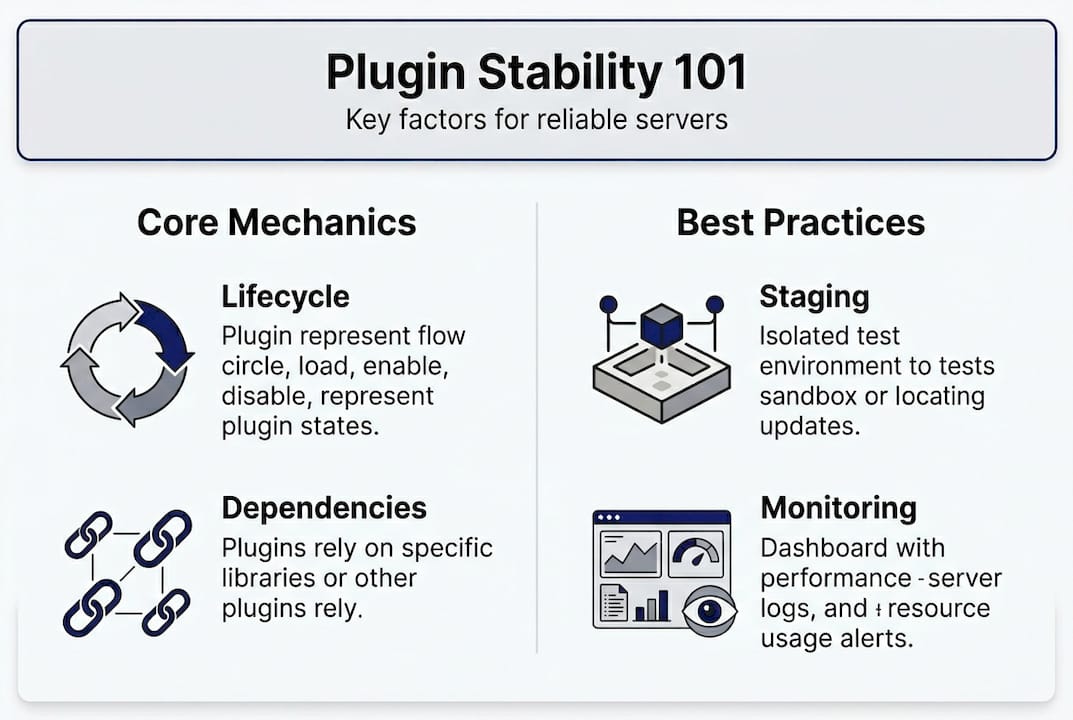
As community experience confirms, stability requires vigilance around lifecycle handling, dependency cycles, and hot-reloading pitfalls. Building that vigilance into your workflow is what separates reactive admins from proactive ones.
Here’s a step-by-step process for evaluating plugin stability before and after installation:
- Check update history. A plugin last updated two major versions ago is a risk. Active maintenance signals a developer who responds to breaking changes.
- Review open issues. Look at the plugin’s issue tracker. If crash reports are piling up unanswered, that’s a signal.
- Test on a staging server first. Never install an untested plugin directly on your live server. A staging environment mirrors your production setup and absorbs the risk.
- Monitor error logs post-install. After enabling a new plugin, watch your server logs closely for the first 24 to 48 hours. Stack traces and warnings often appear before a full crash.
- Set up automated backups. Before any plugin install or update, trigger a full world and data backup. If something goes wrong, rollback should take minutes, not hours.
- Document your plugin stack. Keep a record of every installed plugin, its version, and when it was last updated. This makes troubleshooting dramatically faster.
“The admins who never lose data aren’t lucky. They’re the ones who built rollback into their routine before they ever needed it.”
Staging servers are the single most underused tool in server administration. Running a copy of your server on a local machine or a cheap VPS takes minimal effort and saves enormous amounts of pain.
Why plugin stability is an ongoing process, not a one-time check
Here’s an opinion most articles won’t give you: treating plugin stability as a one-time setup task is the most common and costly mistake server admins make. You install a plugin, it works, and you move on. Six months later, a game update drops and suddenly three plugins are broken simultaneously.
Stability is dynamic. The game changes. APIs evolve. Plugin developers move on or slow down their update cycles. What was stable in January may be a liability by July. This isn’t pessimism. It’s just how live software environments work.
The admins who maintain the most reliable servers build periodic review into their routine. That means monthly checks on plugin update status, quarterly tests on a staging server, and a clear policy for what happens when a plugin stops receiving updates. Long-term plugin reliability isn’t something you achieve once. It’s something you maintain continuously.
Think of your plugin stack like a server garden. It needs regular attention, not just initial planting.
enhance your server’s reliability with ElitePlugins
Ready to apply what you’ve learned about plugin stability? The difference between a server that runs clean for years and one that constantly fights fires often comes down to the quality of the plugins you choose.
At ElitePlugins collection, every plugin is built with the mechanics covered in this guide in mind: proper lifecycle management, asynchronous architecture, and stable API support. You won’t have to guess whether a plugin was tested under load or built to survive game updates. That work is already done. Browse the full catalog and find solutions that save you hours of troubleshooting and keep your players happy.
frequently asked questions
What is plugin stability in minecraft and hytale servers?
Plugin stability refers to reliability, performance consistency, and the absence of crashes or conflicts under various loads and version updates. It goes well beyond whether a plugin simply loads on your server.
Why do plugins often break after a game update?
Game updates, especially minor patches, can change APIs or internal code, causing plugins that rely on outdated code to fail. NMS-dependent plugins fail frequently because they hook directly into server internals that change with every update.
What steps can admins take to ensure plugin stability?
Evaluate plugins before install by checking update history and open issues, use automated backups, monitor error logs closely after installation, and always test on a staging server first. Plugin stability requires vigilance around lifecycle handling and dependency cycles.
What is the danger of hot-reloading plugins?
Hot-reloading leads to memory leaks and crashes because the old plugin instance doesn’t fully unload, leaving threads and listeners running in memory. Always use a full server restart when applying plugin changes.
Recommended
More from the blog
2026-06-24
The Silent Server Killer: How Invisible Lag Destroys Player Retention (And How to Fix It)
Is your server lagging even though your TPS looks perfect? Discover the hidden bottlenecks driving your players away, and how to fix them.
2026-04-22
Plugin support explained: boost server performance & control
Learn what plugin support really means for your server, how it impacts performance and security, and how to choose the right plugins for reliable management.
2026-04-21
Top features of reliable plugins for smooth Minecraft servers
Discover the top features of reliable Minecraft and Hytale plugins. Learn what criteria matter most for performance, permissions, and long-term server stability.